How to Automate Sales Reporting in Retail Without Manual Errors
Manual sales reporting is time-consuming and error-prone. Discover how to automate it in retail for accurate, real-time data.
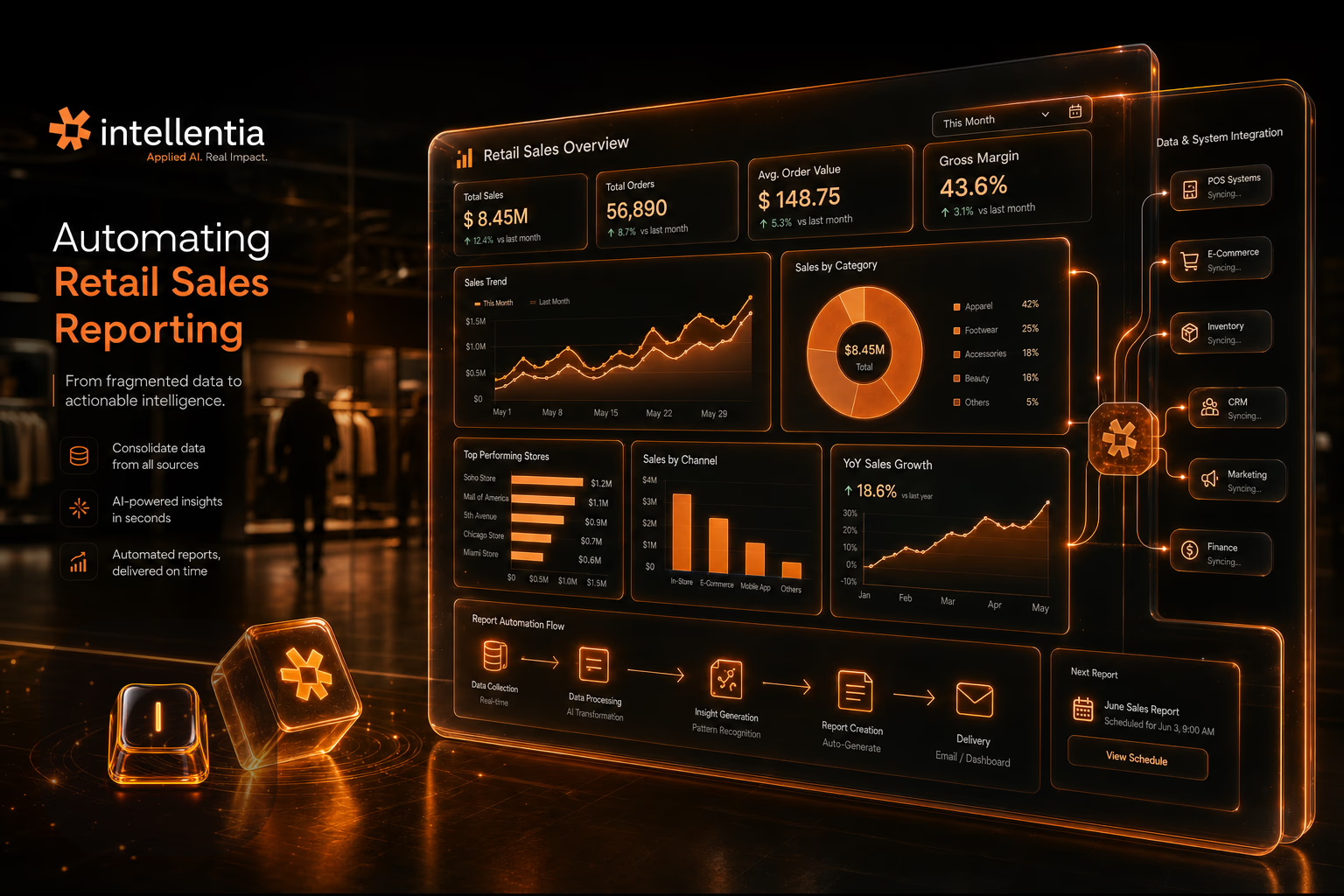
Automating sales reporting in retail helps reduce manual errors, save time, and make more informed decisions. In this article, we outline the key steps to implementing an automated solution.
Why automate sales reporting in retail?
In retail, your entire operation—from stocking shelves to planning promotions—runs on sales data. If that data is pulled manually from spreadsheets, it's not a matter of *if* you'll make a mistake, but *when*. We see this all the time. Decisions get made on outdated or just plain wrong numbers, and that costs money.
An automated system solves this by creating a single source of truth. It pipes data directly from your POS, your CRM, your inventory system—wherever it lives—into one clean, reliable dashboard. No more copy-pasting. Your team stops wasting hours on grunt work and starts actually analyzing what the numbers mean.
What tools are needed to automate reporting?
Building this isn't about buying one magic piece of software. It's about connecting the systems you already use. We're talking about your POS, CRM, and ERP. The core of the architecture is an integration layer that pulls data from these sources. Then, a BI tool sits on top to visualize it. The specific stack depends on what you have, but the principle is the same.
- BI (Business Intelligence) platforms like Power BI or Tableau.
- Data integration tools like Zapier or ETL (Extract, Transform, Load) solutions.
- Retail-specific solutions offering automated reporting modules.
The end goal is simple: the right data flows to the right report, automatically. No one should have to click 'refresh' or manually export a CSV ever again. The system should just work, feeding your team the insights they need to make smart calls on inventory, staffing, and sales strategy.
Steps to implement automated sales reporting in retail
- Audit your current systems to identify what data you need and where it comes from.
- Select tools that integrate well with your tech infrastructure.
- Design an automated workflow to collect, transform, and visualize the data into useful reports.
- Test the system with historical data before rolling it out in real-time.
- Train your team to interpret and use the generated reports.
Stop making decisions based on last week's spreadsheets. Automation gives you live data, so you can react to what's happening today, not what happened yesterday.
How much does it cost and how long does it take to automate reporting?
What people ask us every week is 'how much and how long?' The honest answer depends on the state of your current tech stack. If your data is in a dozen different places and needs heavy cleaning, it takes more work. For a typical retail setup, we usually land somewhere between $5,000 and $15,000, with the build taking 4 to 8 weeks from kickoff to a live dashboard.
That initial cost is an investment, not an expense. Think about the cost of one bad inventory decision or a failed promotion based on faulty data. A solid reporting system pays for itself by preventing those costly mistakes and freeing up dozens of hours of manual labor each month.
What does this mean for your business?
Ultimately, automating your sales reporting is about building a more resilient and data-driven retail operation. You get reliable numbers, your team gets their time back, and you can make decisions with confidence. This kind of system is built for businesses that want to operate based on facts, not guesswork, without needing to hire a full in-house data engineering team.
FAQ
What data can I include in an automated report?
Is it difficult to integrate automation with my current system?
Also on Intellentia: what we do · our solutions · real cases
Keep reading: How to Automate Personalized Promotions in Retail with AI · How to Automate Post-Purchase Surveys in Retail · How to Automate Invoicing in Your SMB Without Losing Control · How to Automate Data Cleaning in SMBs Without a Tech Team · RPA for SMBs: Automate Repetitive Tasks Without the High Costs