AI Agents for Email Response: How to Implement Them
Automate email management with AI agents. Discover the steps, tools, and approaches to integrate them into your services business.
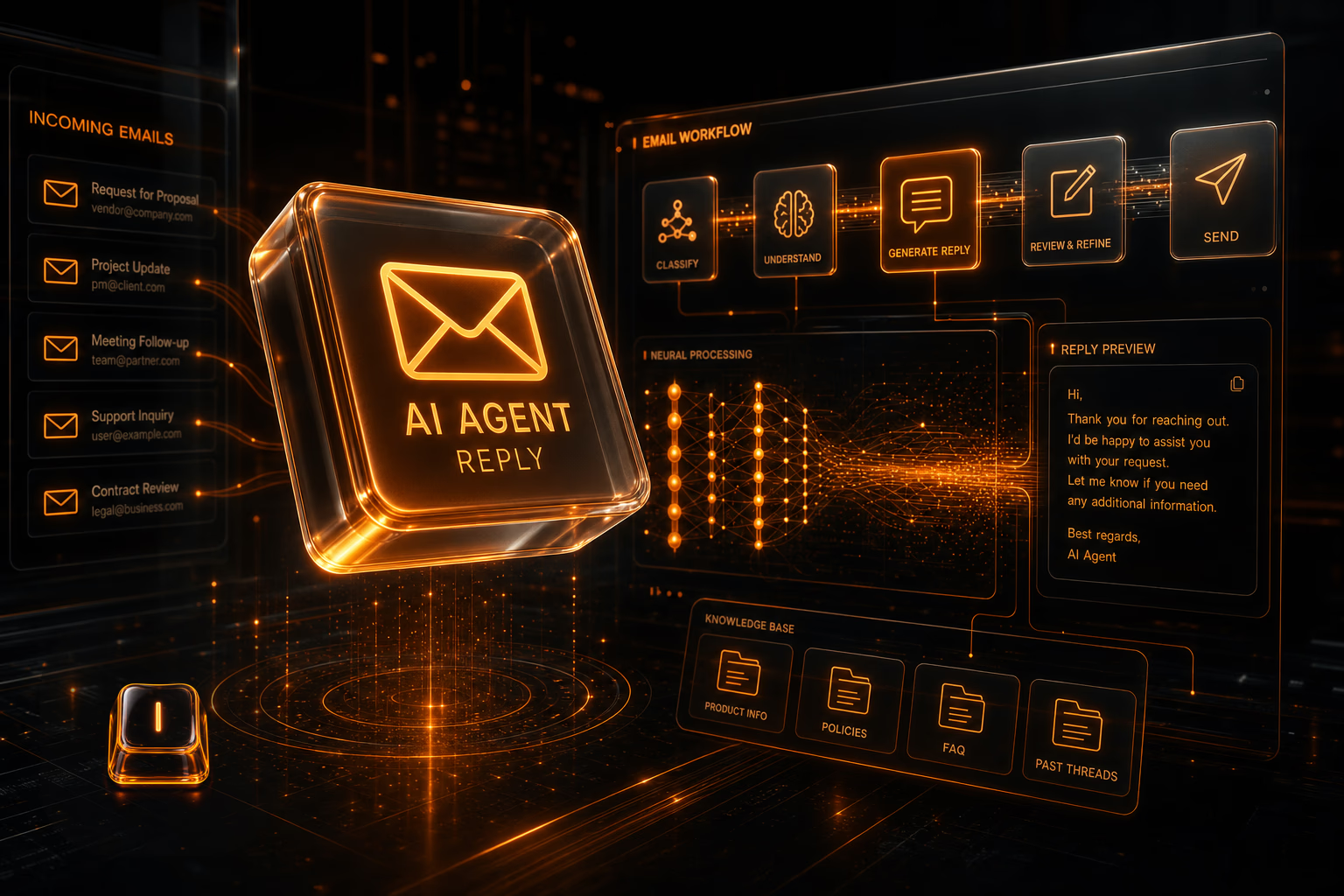
An AI agent to answer emails can transform customer service in industries like services, hospitality, or retail by reducing response times and improving accuracy.
What is an AI agent to answer emails?
Let's break it down. An AI email agent isn't magic. It's a system we build to read, understand, and reply to emails using language models like GPT-4. We connect it directly to your existing tools—Gmail, Outlook, your CRM—so it can take over repetitive tasks like answering common questions, routing support tickets, or handling booking confirmations without anyone lifting a finger.
How do these agents work in practice?
Let's get into the mechanics. The process is straightforward. First, the system ingests an email. Second, it uses Natural Language Processing (NLP) to figure out what the sender wants—is it a question, a complaint, a request? Third, it generates a response. To make this work, we hook it up to your company's knowledge base, databases, or CRM. This gives it the context it needs to draft a reply that's not just generic, but actually helpful and personalized with real customer data. It's a clean, logical flow.
- Receiving the email via an API or direct integration.
- Analyzing the content to identify intent and key data.
- Generating an appropriate response, based on templates or AI models.
What tools and technologies are required?
What people ask us every week is what the tech stack looks like. There's no single answer, as it depends on the architecture, but the core components are consistent. You need a solid foundation.
- Language models like OpenAI GPT or open-source alternatives like Bloom.
- Integrations with email platforms (Gmail, Outlook).
- Data storage systems for response personalization.
- Development frameworks like Python to build the agent's logic.
Costs and implementation time
Let's talk real numbers. The cost and timeline depend entirely on what you need to connect and how smart the agent has to be. A straightforward agent that handles FAQs by connecting to a knowledge base might take 4 to 6 weeks. If you need it to integrate with multiple systems like your CRM and booking platform, the scope changes. We map this out clearly from day one, so you know exactly what the investment in time and money looks like. No surprises.
Which industries benefit the most?
We see this working day-in, day-out in businesses that get flooded with repetitive emails. Think of a hotel automating booking questions and confirmations, freeing up the front desk. Or a technical support team that can instantly route and answer Level 1 tickets. It's built for operations where speed and accuracy directly impact customer satisfaction and the bottom line.
This isn't just about saving your team a few hours. It's about building a customer service machine that's faster, more consistent, and runs 24/7.
What does this mean for your business?
What actually happens once you implement this? Your team stops drowning in routine emails and starts focusing on the complex issues where they're actually needed. Errors from manual copy-pasting disappear. Your response time drops from hours to seconds. If you want to build a system like this, grounded in solid engineering and tailored to your specific workflow, we're the team that builds it.
FAQ
Is it hard to integrate an AI agent with my current system?
How customized can these agents be?
Also on Intellentia: what we do · our solutions · real cases
Read more: OpenAI GPT · Gmail API documentation
Keep reading: What is an AI Sales Copilot (and How to Implement It) · AI Agent for Customer Service: Practical Implementation · How to Deploy an AI Agent for Quoting in Service Businesses · Implementing an AI Agent for Upselling in Online Stores · How to Choose a Custom AI Agent for Your SMB